How to Block Gambling Transactions on Your Bank Account
Switch on a bank gambling block in minutes. See which banks support it, how the cooling-off period works, and what to do if yours doesn't.
By Bastien, Cashout founder · Last edited
September 18, 2026: US card-lock claims corrected against linked provider documentation. UK rows retain their earlier source review; confirm current settings with the bank.
The short answer
A bank gambling block can decline eligible payments identified as gambling. Availability depends on your bank, country and card. A general card lock has different limits: recurring or pending payments may be exceptions. Ask about your specific account and combine payment controls with official self-exclusion and device blocking.
Turn it on tonight, in the app you already have
If your bank offers a gambling block, it’s usually a single toggle inside your banking app — under “card controls,” “security,” or “manage my card” — and it takes under two minutes to switch on. It works by declining any card transaction coded to a gambling merchant, whether that’s a sportsbook, an online casino, or a physical betting shop. You don’t need a new account, a new card, or anyone’s permission. You need the app you’re already carrying.
That’s the good news. The less good news, if you’re in the US, is that this feature is far more common at UK banks than American ones, and it has real gaps everywhere — crypto on-ramps, miscoded sites, cash withdrawals — that no toggle closes on its own. This guide walks through exactly how the block works, which banks actually have it, what to do if yours doesn’t, and how to layer it with the other tools that catch what a bank block misses. For one bank in particular, go straight to the bank-by-bank comparison — every menu path, cooling-off period and gap, checked against the banks’ own pages. If you want the full plan beyond just the bank piece, our complete guide to quitting gambling covers the rest of it.
If you’re reading this mid-urge, do the toggle first, then come back and read the rest. If it’s worse than an urge — if you’re in crisis — the National Problem Gambling Helpline is free, confidential, and open right now: call or text 1-800-GAMBLER (routes through the Council on Compulsive Gambling of NJ) or 1-800-MY-RESET, the national helpline number as of 2026. Both are free. Neither requires an account or a diagnosis. See /help for the full directory.
How a bank gambling block actually works
Every card transaction carries a merchant category code (MCC) — a four-digit number the merchant’s payment processor assigns based on what kind of business it is. Gambling operators are typically coded 7995: betting, lottery tickets, casino gaming chips, off-track betting, and race-track wagers (Rapyd, MCC 7995).
When you switch on a gambling block, your bank’s system checks every incoming transaction against that code. If it matches 7995 (or the handful of adjacent gambling codes some processors use), the charge is declined at the point of sale — you’ll see it fail in real time, the same way a declined card fails at checkout. Nothing shows up on your statement because nothing goes through.
That’s the whole mechanism: a code check, not a judgment call. Which is exactly why it has predictable blind spots.
Where it slips through
- E-wallets and crypto exchanges. If you fund a crypto casino by first buying crypto on Coinbase or Kraken, your bank sees a purchase of cryptocurrency, not a gambling transaction. The MCC never fires.
- Miscoded or new merchants. Offshore sportsbooks and newer platforms don’t always register under 7995 with their processor — sometimes deliberately, sometimes just because their merchant account is still catching up. A site can be functionally a casino and still slide past the check under a “retail” or “digital goods” code.
- Cash. ATM withdrawals inside a casino, and cash advances at the cashier cage, often aren’t coded as gambling at all — they’re coded as cash access. The block doesn’t see them.
- Peer transfers. Venmo, Zelle, or a friend “spotting” you cash to bet with obviously bypass any merchant code entirely.
None of this means the block is pointless — it stops the single most common relapse path, which is opening the sportsbook app and tapping “deposit” on the card already in your wallet. It means the block is one layer, and you should treat it that way.
UK banks: the strong end of the spectrum
UK banks lead here, largely because Monzo built the first version in 2018 after customer demand, and the rest of the market followed under regulatory and public pressure. Over 700,000 Monzo customers have used their block, and more than three-quarters chose a cooldown longer than 24 hours (Monzo).
| Bank | Where to find it | Cooling-off period to turn off |
|---|---|---|
| Monzo | App → gambling block setting; choose a cooldown from 2 days up to 1 year | 2 days minimum, up to your chosen length (Monzo) |
| Starling Bank | App → Cards → Gambling controls → turn on the gambling block | 48 hours (Starling) |
| TSB | Manage Cards → the card → Gambling block → toggle On | 48 hours, fixed (TSB) |
| Lloyds / Halifax | Mobile app → freeze gambling spending | 48 hours (Lloyds) |
| Barclays | App → Cards → merchant control → gambling block | 72 hours (Barclays) |
| NatWest | App → Manage my card → gambling control | 48 hours (NatWest) |
Bank by bank, in one line each:
- Monzo’s gambling block declines card payments to gambling merchants once you switch it on in the app, and you choose the cooldown yourself — anywhere from 2 days to 1 year — before it can be turned off (Monzo). Full walkthrough: the Monzo gambling block.
- Starling’s gambling block lives under Cards → Gambling controls, and takes 48 hours to lift once you ask — a delay Starling says it can’t speed up. It’s also permanently on for virtual cards (Starling). Full walkthrough: the Starling gambling block.
- Lloyds and Halifax let you freeze gambling spending from the mobile app, with a 48-hour delay before the freeze comes off (Lloyds).
- Barclays’ gambling block sits under Cards → merchant control and carries the longest fixed delay of the group: 72 hours to remove (Barclays).
- NatWest’s gambling control is under Manage my card in the app, and also takes 48 hours to switch off (NatWest).
Setup channels vary by bank. Use the bank’s current instructions or ask its support team; do not assume every control can be enabled online, in branch and by phone.
Why the delay is the entire point
A cooling-off period can add time between requesting removal and being able to make eligible gambling payments again. The duration and exceptions are product-specific; it is one part of a plan, not a guarantee that an urge will have passed.
If you’re setting this up tonight, don’t fight the delay — that’s the version of you at 11pm with a losing streak and a login screen open, and the delay exists specifically to outlast that version of you.
US banks: patchy, and here’s what to do about it
For US providers, start with the bank directory and the linked documentation for your exact product. Absence of a feature in the sources reviewed is not proof that no account-specific controls exist. UK instructions should not be applied to a US account.
What a card lock does—and does not establish
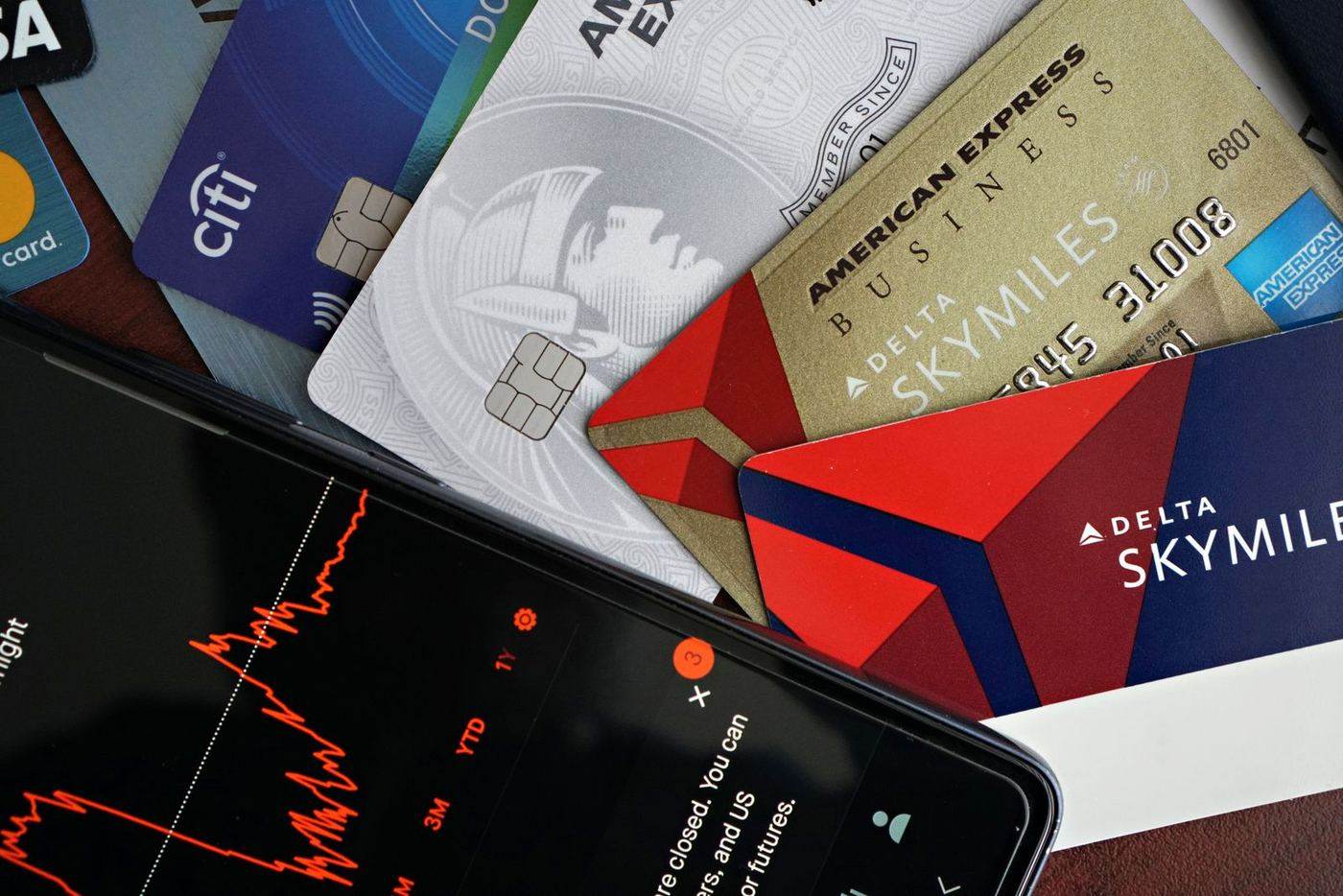
A scheduled deposit is not proof that a merchant submits it as a recurring payment. A card stored with an operator is not proof either. The bank’s exception and the actual payment classification both matter.
| Bank | Documented point | Guide and sources |
|---|---|---|
| PNC | Recurring merchant transactions may still process | PNC Easy Lock |
| Ally | Recurring card payments and withdrawals are excluded from the lock | Ally controls |
| Citi | Its public 2017 Quick Lock announcement describes a recurring-payment exception | Citi controls and source date |
| USAA | Its debit and credit guidance warns recurring transactions might be declined; pending-credit exceptions also apply | USAA product-specific limits |
| Truist | Transaction-type controls include online purchases; this does not prove every gambling deposit will fail | Truist controls |
| U.S. Bank | Debit-card locking instructions and a separate example Amex agreement have different scopes | U.S. Bank documentation |
Ask your bank specific questions: Does it offer a gambling-category control for your card? Which payment methods are covered? What happens to pending and recurring payments? Is there a delay before removal? Get account-specific answers through the bank’s official support channel.
Cancel unwanted scheduled deposits with the operator. Confirm cancellation rather than relying solely on a card lock. Self-exclusion restricts the gambling account itself; a card control does not.
Check essential payments before blocking a card. A broad control may interrupt bills as well as gambling payments. Ask the provider about exceptions and payment arrangements.
Keep fees separate from protection. Some credit-card agreements classify permitted betting transactions as cash advances. That can increase the cost; it does not establish whether the transaction is accepted or whether you can enable a gambling block. Use your own current agreement for rates and fees.
Layer the block — don’t rely on it alone
A bank block, on its own, stops one thing: a card-present gambling transaction that’s correctly coded. It does not stop crypto funding, cash, miscoded sites, or you simply opening a new account somewhere your bank has no visibility into. GamCare’s own guidance is explicit that bank blocks work best “combined with self-exclusion and blocking software” (GamCare) — not as a standalone fix.
The three layers that actually cover each other’s gaps:
- Bank block — stops the card-present deposit, the fastest and most common relapse path.
- Self-exclusion — GamStop in the UK, or state-level self-exclusion programs in the US, legally bar you from licensed operators even if you find a new site with a card the bank block hasn’t flagged yet. Our self-exclusion guide explains how it works, and your state’s self-exclusion program is listed with its official sign-up page in the state directory.
- Device/app blocking — stops you from even loading the sportsbook or casino site or app in the first place, closing the gap where crypto and offshore sites slip past a merchant code entirely. See our breakdown of gambling blocker apps if you don’t already have one running.
Each layer covers what the others miss. A bank block without device blocking still lets you browse and lose time to an offshore site funded in crypto. Device blocking without a bank block still lets you tap “deposit” the second you switch networks or devices. Run them together.
Cashout is building this as one guided setup rather than three separate tabs — per-bank gambling-block instructions alongside self-exclusion walkthroughs and app/site blocking, plus the panic-button and money-saved tracking that keep you in it once the urge has passed. It’s not out yet; we’re taking signups for early access on the waitlist while we finish iOS testing.
Shared accounts and partners
If you share an account with a partner, spouse, or family member, a gambling block affects every card tied to that account — which is usually the point, not a complication. Talk to whoever shares the account before you flip it on if you can; a block that appears out of nowhere on a joint card reads as suspicious or controlling even when the intent is the opposite.
If you’re the partner of someone gambling and you share finances, you have standing to request a block on a joint account through most UK banks, and to move your own income into a separate account they can’t access if the relationship needs that boundary right now. Our guide on gambling debt first steps covers untangling joint finances if debt is already part of the picture.
Do-it-tonight checklist
- Open your banking app and check under “card controls,” “security,” or “manage my card” for a gambling block.
- If it exists: turn it on now, and pick the longest cooldown option offered, not the shortest.
- If it doesn’t exist (most US banks): ask your bank whether a gambling-category control is available for your card and confirm its scope. Do not assume support can add a custom block.
- Remove your saved card from every sportsbook, casino, and crypto exchange app on your phone.
- Set a real-time transaction alert for any charge over $20.
- Start (or finish) self-exclusion — see the self-exclusion guide.
- Install a device-level blocker so offshore and crypto sites can’t just be typed into a browser — see gambling blocker apps.
- Run the numbers on what you’ve actually lost with the gambling cost calculator — it’s a useful gut-check for the cooldown period, when the “just this once” argument gets loud.
- Save the crisis line to your phone: 1-800-GAMBLER or 1-800-MY-RESET, free, 24/7, no account needed — /help has the full list.
None of these steps requires waiting for anything to launch. Every one of them is something your bank, your phone, or a free helpline can do for you tonight.
Frequently asked questions
Which US banks offer a real gambling block?
Do gambling blocks work on crypto casinos and offshore sites?
What is a merchant category code (MCC) and why does it matter?
Can I turn a bank gambling block off instantly if I change my mind?
Does a bank block stop cash withdrawals at a casino?
Will a gambling block hurt my credit score?
What is gambling costing you?
Kept, not gambled — over 5 years
That's $3,600 this year alone — money that stays yours from the day you stop.
Ready to make this the last chapter?
Cashout tracks your streak, counts the money you keep, and walls off every betting app — launching soon on iOS. Waitlist gets in first.